Keep a Weekly Prompt-Change Log Before Your AI Workflow Gets Messy
Prompt changes feel harmless when only one person is testing them. A weekly change log helps a small AI operation separate experiments from approved rules, preserve rollback context, and notice when the real fix belongs in the workflow instead of the prompt.
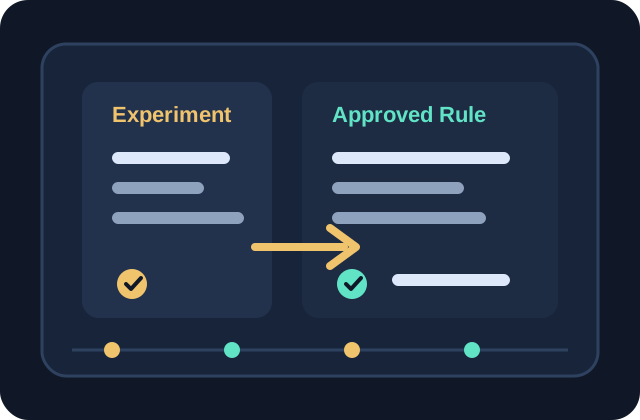
Separate experiments from approved prompt rules so teams know what is live.
Log the reason for each prompt change before editing the instruction.
Review changed prompts against real outputs before promoting them into the SOP.
Treat prompts like operating rules
A prompt is not just copy inside a text box. Once a team relies on it for support drafts, content briefs, summaries, or routing decisions, it becomes an operating rule. That means changes need a visible record. A weekly prompt-change log gives small teams a lightweight way to see what changed, why it changed, who approved it, and whether the change actually improved the workflow. Without that record, every prompt slowly turns into a stack of half-remembered experiments.
Separate experiments from approved instructions
The log should have two clear lanes: experiments and approved rules. Experiments are draft changes that someone is testing against sample inputs. Approved rules are instructions that affect live work. Keep those lanes separate even if the same person owns both. This prevents a promising wording idea from quietly becoming production behavior before anyone checks the outputs. It also gives reviewers permission to reject an experiment without reopening the whole workflow.
Record the reason before the new wording
Every prompt edit should begin with the reason for the change. Useful reasons include repeated missing context, tone drift, wrong routing, stale source handling, weak summaries, inconsistent formatting, or reviewer confusion. Write the reason in plain language before drafting the new instruction. This keeps the team from adding clever prompt text that does not connect to a real operating problem. If nobody can name the reason, the change probably belongs in a sandbox, not the live workflow.
Test against known cases before promotion
Before a prompt change becomes approved, test it against a small set of known cases: one ordinary example, one edge case, and one recent failure if available. The test does not need to be a formal benchmark. It only needs to show whether the new wording fixes the target problem without making common cases worse. Add the tested cases and the promotion decision to the log. That habit makes rollback easier because the team can see what the change was supposed to protect.
Review the log for workflow lessons
At the end of the week, scan the log for patterns that belong outside the prompt. If several edits try to solve missing context, the intake form may need a required field. If routing fixes keep appearing, the triage SOP may need clearer stop conditions. If tone rules keep expanding, the style guide may need better examples. A prompt-change log is useful because it improves more than the prompt. It shows which parts of the operating system need clearer rules before the team adds more automation.