Build a Stop-Rule Register Before AI Workflows Reach Customers
AI workflows need a visible brake before they touch customers, public claims, or sensitive decisions. A stop-rule register tells the team when to pause, route, or require review.
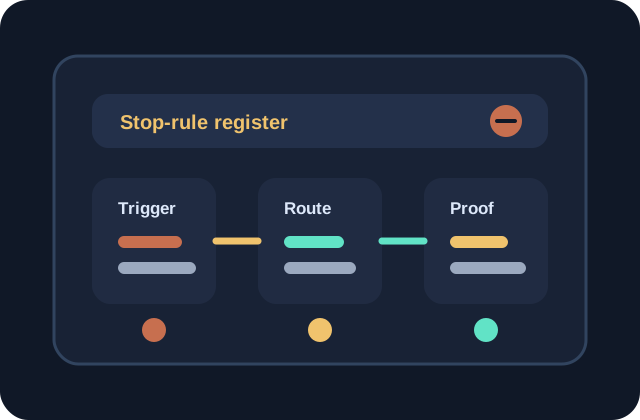
Write stop rules before a workflow reaches customers, not after an exception hurts trust.
Separate hard stops from review-required cases so humans know when to intervene.
Review stop rules against real examples so the register stays useful instead of theoretical.
Give the workflow a visible brake
Small teams often add AI to a workflow by improving the prompt and tightening the review checklist. That helps, but it does not answer the harder question: when should this workflow stop? A stop-rule register gives the team a visible place to define the conditions that pause drafting, routing, sending, publishing, or summarizing before the output reaches a customer or public page. The goal is not to make the system fearful. The goal is to make judgment easy to apply at the exact moment risk appears.
Split stop rules into two levels
The register should separate hard stops from review-required stops. A hard stop means the AI step should not continue because the case belongs with a named human owner or a professional process. A review-required stop means the AI can still prepare notes or a draft, but nothing should be sent, published, or acted on until a person approves it. This distinction prevents teams from treating every concern the same way. Some work needs a pause and handoff. Some work only needs an approval gate.
Write triggers in plain operating language
Useful stop rules sound like the words people already use during work. Examples include customer asks for a refund exception, account access is unclear, source material conflicts, tone is angry, required context is missing, legal or policy language appears, or the output changes a public claim. Each trigger should name the next action: stop drafting, collect missing context, route to owner, require approval, or remove the AI step. A rule that does not change the next action is only a reminder.
Attach examples so the rule survives busy days
A stop-rule register becomes stronger when each rule has one or two short examples. The examples do not need private customer details. They need the shape of the case: what the request looked like, what made it risky, and what the workflow should do next. Examples keep the rule from being interpreted differently by every reviewer. They also help new team members understand that stop rules are part of quality control, not a sign that the workflow failed.
Review misses and false alarms together
Stop rules need maintenance because work changes. Once a week or once a month, look at two groups of cases: misses where the workflow should have stopped sooner, and false alarms where the stop rule created unnecessary review. Misses usually mean the trigger was too vague or hidden too late in the process. False alarms usually mean the rule needs a clearer threshold. Reviewing both sides keeps the register practical. Over time, the workflow gets better at protecting trust without slowing down every ordinary task.